Clean Junk Plus
- 3.6
- Rating
- 100.00K
- Installs
- Free
- Price

 Analysis by App-foxy
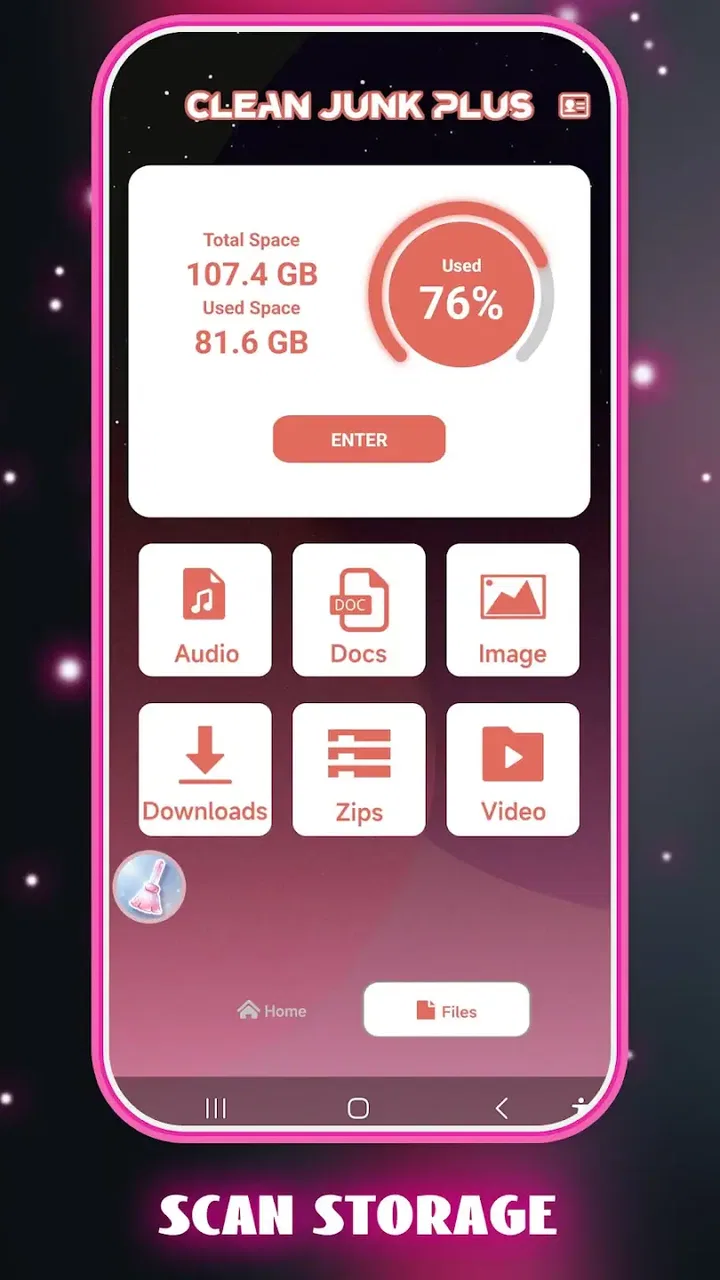
I spent time with Clean Junk Plus as a lightweight phone-care tool, and my first impression was straightforward: it is aimed at people who want a cleaner device without turning maintenance into a technical project. Its store message focuses on caring for a phone and keeping everyday use smooth, while the short description points directly to junk cleaning. That makes its purpose easy to understand, even before opening it.
This is an Android app from Hatif Welfare Apps in the Tools category. It is free to install, carries an Everyone age rating, and is currently listed at version 1.0.1 for devices running Android 10 or later. The app has passed the early curiosity stage with over one hundred thousand installs, although its average rating sits at 3.6 from just over one hundred ratings. I read that combination as a reason to try it with sensible expectations: enough adoption to make it worth examining, but not enough feedback to treat it as a universally proven cleaner.
How Clean Junk Plus fits into everyday phone care
The central idea is familiar. Phones collect temporary files, leftovers from removed apps, old downloads, and other clutter as we use them. A cleaning tool can make that buildup easier to inspect and manage than searching through folders manually. Clean Junk Plus presents itself around that simple job rather than trying to be a complete replacement for Android settings, file managers, battery tools, or security software.
You May Also Like

 Blood Strike: 2.5 Anniversary
Blood Strike’s Loadouts Turn Every Drop Into a Tactical Gamble
A close look at Blood Strike’s custom loadouts: how fast access to signature weapons reshapes its battle royale rhythm, rewards preparation, and narrows the gap between fights.

 Pandora - Music & Podcasts
Pandora’s Music Is Easy to Start, but Harder to Recover
Pandora’s strength is its low-effort path from a seed to a station. Its weak spot is how much confidence it asks you to place in connection, setup, and quiet recovery.

 8 Ball Pool
 Is Built on Rivalries, Rematches, and Routine
A close look at the rivalries, rematches, shared routines, and unanswered safety questions that turn a quick pool match into a persistent mobile community.

 Samsung Music
’s Quiet Strength Is Playing What You Already Own
Its reach comes less from spectacle than from dependable access to a personal library. That simplicity is both the app’s strongest retention engine and its ceiling.

 AccuWeather: Weather Radar
AccuWeather Review: A Quick, Clear Forecast for Everyday Decisions
For everyday plans, the best forecast is the one you can understand quickly. AccuWeather makes rain timing, radar, and local conditions easy to act on, with a few trade-offs.

 Hill Climb Racing
Why Hill Climb Racing Still Turns Crashes Into One More Run
A tiny car, a bumpy hill and one more upgrade: Hill Climb Racing keeps resurfacing because its simple chaos makes every near-miss feel personal.
More From Our News Desk
View All News


That distinction matters. A junk cleaner does not magically repair a worn battery, add storage capacity, or make a slow phone powerful again. Its useful role is narrower: help me identify removable clutter and make routine housekeeping less tedious. When I judge it on that basis, the app makes more sense than when it is treated as an all-purpose performance booster.
The free price is one of its clearest advantages. There is no purchase decision standing between a curious user and the basic opportunity to test it. For someone with limited storage, an older Android handset, or a habit of postponing maintenance, free access lowers the risk of trying it. It also means the app has to earn its place through convenience rather than through a large financial commitment.
I would still avoid assuming that “free” automatically means better value than the tools already on a phone. Android includes storage-management features, and many file managers can locate large or unnecessary items. If those built-in options already give you enough control, another utility may add little. The real question is whether Clean Junk Plus makes the process clearer or quicker for your particular routine.
What the cleaning idea is good at
The strongest use case is not a dramatic rescue after years of neglect. It is regular, small-scale maintenance. I would open a tool like this when storage warnings begin appearing, when an app installation fails because space is tight, or when the phone feels disorganized after months of downloads and deleted applications. In those moments, a focused cleaner can turn a vague “my phone is full” problem into a more manageable review of removable material.
A practical workflow is to check storage before cleaning, review what the app identifies, and then check storage again afterward. That habit gives me a better sense of whether the scan is actually helping. It also prevents the common mistake of judging a cleaner by animation or promises instead of by the amount of space I knowingly recover. The useful result is visible, understood storage improvement—not simply a completed scan.
Another good scenario is preparing a phone for travel. Before downloading offline maps, music, podcasts, or videos, I would use Clean Junk Plus to look for clutter and then remove only items I recognize as disposable. This is more useful than waiting until an airport or train connection leaves no room for troubleshooting. The app becomes part of preparation rather than an emergency button.
It can also suit family members who are uncomfortable navigating Android’s storage menus. A dedicated cleaning screen may feel less intimidating than a series of system categories and folder names. However, I would still show a less technical user what is being removed and why. Simplicity is helpful, but it should not replace judgment when personal files are involved.
The review step is more important than the scan
My main advice is not to treat every detected item as disposable. Temporary files are one thing; photos, documents, downloaded media, messaging attachments, and files stored for offline use can be another. A cleaner is valuable only when it separates safe-to-remove clutter clearly enough for me to make an informed choice. If a result screen uses broad labels without enough context, I would slow down rather than approve everything.
This is especially important for people who use creative or messaging apps heavily. A video editor may keep working material in a location that looks unimportant to a general cleaner. A chat application may store media that I still want to access. Removing the wrong item can save space while creating a new problem. My preferred routine is to review large categories first, open the relevant app if I am uncertain, and back up anything important before broad cleanup.
That cautious workflow is a non-obvious advantage of using a cleaner thoughtfully: it teaches me where storage is going. Even if I decide not to delete a category, I learn which habits are filling the phone. Perhaps downloads are the issue, or perhaps one social app is retaining a large media cache. That knowledge is more lasting than a single tap on a clean button.
Where it sits beside Android’s own tools
Clean Junk Plus competes with options that are already close at hand. Android’s built-in storage controls are usually the safest starting point for checking space because they are integrated into the operating system. A file manager can offer more direct control, which is useful for people who want to inspect folders and keep particular files. A specialized cleaner may be more approachable for someone who wants a guided scan instead of a manual search.
My preference depends on the user. If I need precision, I would lean toward system storage controls or a file manager. If I want a simpler first pass and do not enjoy sorting folders, Clean Junk Plus is easier to consider. The trade-off is that convenience can reduce visibility. I should not give up control merely because a dedicated interface looks less complicated.
It is also worth separating junk cleaning from other types of phone utilities. This app should not be my reason for expecting stronger cellular reception, longer battery life, safer browsing, or faster mobile data. Those are different problems with different solutions. A phone that is slow because of an aging battery, a damaged component, a problematic update, or a demanding app will not necessarily improve just because removable clutter is cleared.
What I noticed about value and cost
Because the app is free, the value calculation is simple but not automatic. I am not comparing subscription tiers or deciding whether a paid upgrade justifies its price. I am deciding whether the time saved during cleanup is greater than the time spent checking results and learning the interface. For a free utility, that is a reasonable threshold.
Free access is particularly attractive for occasional users. Someone who needs to clear space before a system update may not want to pay for a tool they open only a few times. The same is true for a spare phone or a family device used mainly for calls, messages, and basic browsing. In those cases, a no-cost cleaner can be a practical experiment.
For frequent power users, the calculation changes. If I already maintain storage through a file manager, cloud backup, and Android’s own recommendations, Clean Junk Plus may not save enough effort to become part of my routine. I would not install it simply because every phone supposedly needs a cleaner. I would install it when its workflow is more convenient than the one I already use.
The rating gives me another reason to keep expectations measured. An average of 3.6 suggests a mixed experience rather than a clear consensus, and the review count is still small. I do not take that as proof that the app is poor, but I also would not use popularity alone as a reason to trust it with unrestricted deletion. My own test would begin with a modest scan and carefully reviewed results.
Small habits that make it safer and more useful
My first tip is to clean in stages. I would begin with obvious temporary material, then pause and check whether the phone behaves normally and whether the recovered space is meaningful. Only after that would I consider less obvious categories. This staged approach makes it easier to identify what caused a problem if an app later behaves differently.
My second tip is to avoid cleaning immediately before an important task. If I am about to travel, present from the phone, or rely on a messaging app for work, I would perform maintenance earlier and leave time to restore anything unexpected. A free utility is not worth turning a routine cleanup into a last-minute risk.
My third tip is to use the app as a diagnostic prompt rather than a permanent substitute for organization. After seeing what it finds, I would remove duplicate downloads, review large videos, and adjust habits that create repeated clutter. If the same category returns every week, the longer-term answer may be changing download settings or managing media inside the original app, not repeatedly pressing clean.
A fourth useful habit is to compare the result with the system’s own storage view. If both show a similar problem, I have more confidence that I understand the situation. If they present very different pictures, I would investigate before deleting anything. This comparison does not require technical expertise; it simply keeps the cleaner from becoming the only source of information about my phone.
Who is likely to appreciate it
I can recommend trying Clean Junk Plus to Android users who want a focused, free way to begin dealing with clutter. It is a sensible candidate for people who dislike digging through folders, regularly receive storage warnings, or manage a device with limited free space. It may also help a less technical family member start a maintenance routine, provided someone explains the review step.
The Android 10 minimum is relevant for compatibility. Owners of older devices should not assume it will run, while users on supported versions can approach it as a current-environment utility rather than an old legacy tool. The Everyone rating also makes it broadly approachable from an age-classification perspective, though responsible file selection still matters for every user.
I would be more cautious about recommending it to someone who stores valuable work locally and expects highly detailed control over every folder. That person may be better served by Android’s storage settings or a capable file manager. I would also skip it if my only goal were battery improvement, antivirus protection, or a major speed transformation. The app’s apparent focus is too narrow to justify those expectations.
Privacy-conscious users should make their own comfort judgment before granting any utility access needed for its operation. I would read each permission prompt and avoid approving anything that seems unrelated to a cleaning task. Since the app deals with the contents and organization of a phone, I would treat it with the same care as any tool that can inspect personal storage, even when the interface feels simple.
My final decision
Clean Junk Plus is easiest to understand as a free entry-level cleaning assistant, not a miracle optimizer. Its appeal comes from reducing the friction of routine storage maintenance, especially for people who want a guided starting point. The developer, Hatif Welfare Apps, has positioned it in a familiar Tools space, and the current version is new enough in its listed form that I would judge it by practical usefulness rather than by a long history.
I would try it when my phone is crowded and I want a quick, focused review of possible junk. I would keep the scan conservative, compare the outcome with Android’s storage screen, and never approve deletion blindly. If it consistently helps me find removable clutter without making me second-guess what is safe, its free access gives it worthwhile everyday value.
My recommendation is therefore conditional but positive: try it if convenience is your main need, and skip it if precise manual control already works better for you. The mixed average rating means I would not call it an automatic choice for every Android owner. Still, for a user facing ordinary storage clutter and looking for a no-cost first step, it is a reasonable app to test—provided the person using it remains in charge of what gets removed.
FAQs for Clean Junk Plus
01What is Clean Junk Plus and what does it do?
Clean Junk Plus is designed to help users identify and remove unnecessary files from an Android or iOS device. Depending on the version available for your platform, it may scan cached data, temporary files, residual files, duplicate content, or other items that take up storage space. Its main purpose is to free storage and make it easier to manage a cluttered device, rather than replace the operating system’s built-in storage tools.
02Is Clean Junk Plus safe to use on my phone?
Before starting a cleanup, review the files selected by the app instead of automatically deleting everything it finds. Some items may appear unnecessary but could still contain information you want to keep, such as downloads, photos, videos, documents, or application data. Download Clean Junk Plus only from an official app store, check the requested permissions, and consider creating a backup before removing a large amount of data.
03Can Clean Junk Plus improve my phone’s performance?
Clean Junk Plus may help when your device is running low on storage, since removing temporary or unwanted files can make room for updates and new content. However, it should not be considered a guaranteed speed booster. Performance problems can also be caused by an aging battery, demanding background apps, limited memory, outdated software, or hardware limitations. The results will therefore vary between devices.
04Does Clean Junk Plus delete photos, videos, or personal files?
The app’s cleanup suggestions may include files beyond simple cache data, depending on the device and the version installed. Personal media and documents should not be deleted without your confirmation, but users should still inspect every category carefully before proceeding. Pay particular attention to duplicate-file tools, large-file lists, downloads, and messaging folders, as these can contain content you may want to preserve.
05Is Clean Junk Plus free, and does it require subscriptions or extra permissions?
Availability, pricing, advertising, and premium features can differ according to the platform, country, and current app version. Some cleaning applications offer basic scanning for free while placing automatic cleanup, advanced recommendations, or additional tools behind an in-app purchase or subscription. Before installing, read the store listing and privacy information, then verify the permissions requested so you understand what access the app needs.
Pros
- Quickly identifies cached files and other removable junk.
- Simple interface makes cleanup accessible for beginners.
- Can help free storage space on devices with limited capacity.
- Scan results are presented clearly before anything is deleted.
- Useful for occasional maintenance without complicated settings.
Cons
- Some detected files may require manual review before removal.
- Cleaning results can vary depending on the device and Android version.
- Frequent scans may offer limited benefits after the first cleanup.
- Extra permissions may be needed for deeper storage analysis.
- Ads or promotional prompts may interrupt the cleaning experience.

Clean Junk Plus
Gallery